



SharePoint intranets and document management, Brisbane

Document Management & Intranets

Find what you need, and trust it’s the right version.
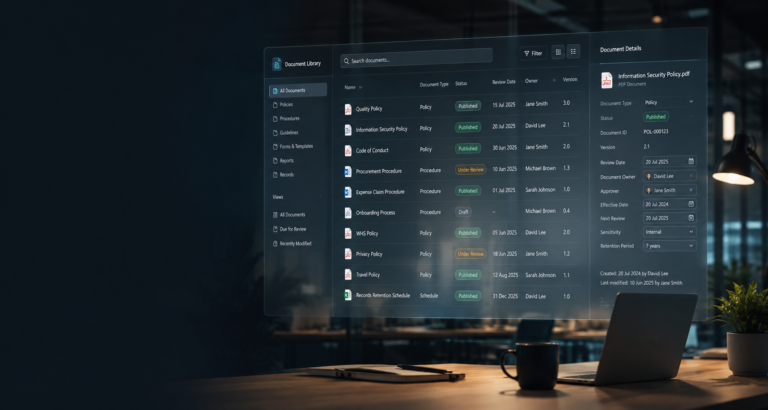
Documents scattered across shared drives, OneDrive, Teams and email. Nobody sure which version is current. An intranet that’s out of date, or doesn’t exist. We give your organisation one structured, trusted home for its documents and one place for your people to find what they need. Brisbane-based, we design SharePoint intranets and document management for organisations across Queensland and Australia.
The solution

One trusted home for your documents and your people.

Good document management isn’t about more storage. It’s about structure. We organise your documents and your intranet around how your people actually work, so information is easy to find, versions are clear and the right people have the right access.
Sol ico p information architecture

Structure & metadata

Sites, libraries and metadata designed around the way people look for documents, not the way files happened to pile up.
Sol ico d version

Version control & approvals

One current version of every document, with history and approvals where you need them. No more working from an old email attachment.
Sol ico d retention

Moving in

We move you off file servers, shared drives or an old SharePoint, planned around the new structure rather than copied across as-is.
Sol ico i news

Intranet & news

A clear home page, easy navigation and company news people actually read, instead of another all-staff email.
Sol ico i resources

Policies, forms & tools

Policies, procedures, forms, contacts and everyday tools in one consistent place, kept current by clear owners.
Sol ico p m365 integration

Teams that stay tidy

Clear structure, naming and ownership for Teams and channels, connected to the right documents.
Intranet & news

A SharePoint intranet your people actually use.

A good intranet is the first place staff look for news, policies, forms and the people they need. We design and build SharePoint intranets inside the Microsoft 365 you already own, so there’s no extra licence and no separate system to log in to. It works in the browser, in Microsoft Teams and on the SharePoint mobile app.

What’s included

  • A home page built around what your people need each day: news, quick links, events and key tools
  • Company news that also appears in Teams and the SharePoint app
  • A policy and forms hub, with clear owners and review dates
  • A staff directory and team or location pages
  • Navigation and search designed around how people look for things, not your org chart
  • Editor training, so your team keeps it current after launch

How we design it

We start with short workshops to understand who uses the intranet and what they come for. From there we map the content into a clear structure, agree a small set of page templates, and show you the design before we build.

Content moves in from your old intranet, file server or shared drives, with the out-of-date material retired rather than copied across.

Timeline and price

A practical intranet usually takes 6 to 12 weeks from first workshop to launch.

Most projects for organisations of 50 to 150 staff start from $15,000 (ex GST), with a fixed price agreed before any work begins. See what a SharePoint intranet costs in Australia for what drives the price.

Talk to us about your intranet →

Ready-made solutionNeed document control out of the box?

Applecart DMS is our ready-made system for policies, procedures and other controlled documents: approvals, review dates and a full audit trail in the Microsoft 365 you already own.

Explore Applecart DMS →
What we bring

One team from first conversation to ongoing support.

We bring every skill a project needs, so you deal with one team instead of several.
Sol ico i strategy

Strategy & consulting

Understand your organisation, your people and the problem you’re solving, then define the right approach.
Sol ico i design ux

Design & UX

Design the structure and experience around the people who’ll actually use it. Designed, not just configured.
Sol ico i development

Development & implementation

Build and configure the solution in your own Microsoft 365, documented and owned by you.
Sol ico i training

Training & adoption

Every project ends with your people trained and a proper handover, so the new way of working sticks.
Sol ico i support

Ongoing support via the Service Desk

When you want ongoing help, request support, changes and new work through the Service Desk and track it to done.

We work alongside your IT team, not instead of them.

Platforms

Built on the Microsoft 365 you already have.

We work with the tools most organisations already pay for, and structure them properly rather than simply lifting folders across.
Core platforms
Sol ms sharepoint

SharePoint

Document libraries, intranet, structure and search. Includes OneDrive for personal working files.
Sol ms teams

Teams

Where teams talk and work together, connected to the right documents.
Extend with
Sol ms powerautomate

Power Automate

Approvals, reviews and notifications for your documents.
Sol ms copilot

Copilot

Helps people find and use your content, once the structure supports it.
Solutions in action

How we’ve helped organisations take control of their information.

Featured project

One intranet and document system, across countries and languages

How Dovida, the home-care group formerly known as Home Instead, gave its offices in the Netherlands and Switzerland one trusted home for news, policies and procedures, in their own language.
Document Management & IntranetsSharePoint · Information architecture · Migration
Read the case study →

Relevant articles

Connected to the Applecart article library
Common questions

Questions we’re often asked.

Can SharePoint replace our file server?

Yes, for most organisations of 50 to 150 staff. SharePoint gives you version history, search, permissions and access from anywhere, without a server to maintain. We plan the structure first, then move files in stages so nobody loses access during the move.

How long does a SharePoint intranet take?

A practical intranet with news, policies, forms and staff tools usually takes 6 to 12 weeks, depending on content and approvals. We design it with your team, build it in your Microsoft 365, and train your editors before launch.

Folders or metadata in SharePoint?

Usually both. Keep a light folder structure people recognise, and add metadata for the things you search and filter by, such as document type, owner and review date. Deep folder trees are what make files hard to find.

Do we need a separate document management system?

Often not. If you already have Microsoft 365, SharePoint can handle version control, approvals and review dates. Applecart DMS is our ready-made version of that.

What does a SharePoint intranet cost?

For an organisation of 50 to 150 staff, a practical SharePoint intranet usually costs $15,000 to $50,000 (ex GST) to set up, with no extra Microsoft licence if you already have Microsoft 365. The price depends on the number of page templates, how much content moves, and whether you need document control. We give you a fixed price before we start.

Can staff use the intranet in Teams and on their phones?

Yes. A SharePoint intranet can be pinned in Microsoft Teams, news appears in the Teams and SharePoint mobile apps, and it works in any browser. Staff use their existing Microsoft 365 sign-in, so there’s nothing new to remember.

Ready to bring order to your documents?

Whether you’re moving off file shares, cleaning up an overgrown SharePoint or starting an intranet from scratch, we’ll help you work out the right approach.

Already working with us? Request support or changes through the Service Desk.